PikoeSIM
100 MB
7 days25% offStarts: First Installation. Networks: Telenor 4G. Hotspot: supported.
 Albania100 MB · 7 daysFrom€0.44
 Switzerland1 GB · 7 daysFrom€0.58
 Japan100 MB · 7 daysFrom€0.51
 Turkey100 MB · 7 daysFrom€0.44
 Kosovo1 GB · 30 daysFrom€1.91
 United States100 MB · 7 daysFrom€0.44
Try the country name, like “Japan” or “Italy”.
Plans from€0.65
100 MB 7 days
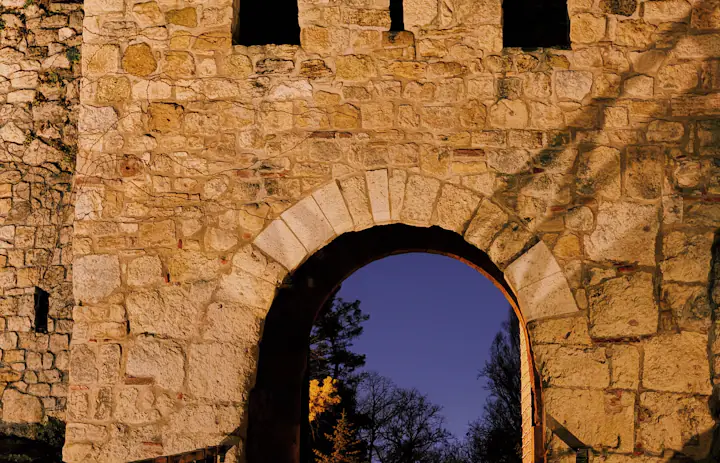
 Belgrade Fortress, Serbia
Starts: First Installation. Networks: Telenor 4G. Hotspot: supported.
Starts: First Network Connection. Networks: Telenor 4G. Hotspot: supported.
Starts: First Network Connection. Networks: Telenor 4G. Hotspot: supported.
Starts: First Network Connection. Networks: Telenor 4G. Hotspot: supported.
Starts: First Network Connection. Networks: Telenor 4G. Hotspot: supported.
Starts: First Network Connection. Networks: Telenor 4G. Hotspot: supported.
Starts: First Network Connection. Networks: Telenor 4G. Hotspot: supported.
Starts: First Network Connection. Networks: Telenor 4G. Hotspot: supported.
Starts: First Network Connection. Networks: Telenor 4G. Hotspot: supported.
Starts: First Network Connection. Networks: Telenor 4G. Hotspot: supported.
Starts: First Network Connection. Networks: Telenor 4G. Hotspot: supported.
Starts: First Network Connection. Networks: Telenor 4G. Hotspot: supported.
Starts: First Network Connection. Networks: Telenor 4G. Hotspot: supported.
Starts: First Network Connection. Networks: Telenor 4G. Hotspot: supported.
Starts: First Network Connection. Networks: Telenor 4G. Hotspot: supported.
Starts: First Network Connection. Networks: Telenor 4G. Hotspot: supported.
Starts: First Network Connection. Networks: Telenor 4G. Hotspot: supported.
Starts: First Network Connection. Networks: Telenor 4G. Hotspot: supported.
Starts: First Network Connection. Networks: Telenor 4G. Hotspot: supported.
Starts: First Network Connection. Networks: Telenor 4G. Hotspot: supported.
Starts: First Network Connection. Networks: Telenor 4G. Hotspot: supported.
Starts: First Network Connection. Networks: Telenor 4G. Hotspot: supported.
Starts: First Network Connection. Networks: Telenor 4G. Hotspot: supported.
Starts: First Network Connection. Networks: Telenor 4G. Hotspot: supported.
Starts: First Network Connection. Networks: Telenor 4G. Hotspot: supported.
Starts: First Network Connection. Networks: Telenor 4G. Hotspot: supported.
Starts: First Network Connection. Networks: Telenor 4G. Hotspot: supported.
Starts: First Network Connection. Networks: Telenor 4G. Hotspot: supported.
Starts: First Network Connection. Networks: Telenor 4G. Hotspot: supported.
Starts: First Network Connection. Networks: Telenor 4G. Hotspot: supported.
Starts: First Network Connection. Networks: Telenor 4G. Hotspot: supported.
Starts: First Network Connection. Networks: Telenor 4G. Hotspot: supported.
Starts: First Network Connection. Networks: Telenor 4G. Hotspot: supported.
Starts: First Network Connection. Networks: Telenor 4G. Hotspot: supported.
Starts: First Network Connection. Networks: Telenor 4G. Hotspot: supported.
Starts: First Network Connection. Networks: Telenor 4G. Hotspot: supported.
Starts: First Network Connection. Networks: Telenor 4G. Hotspot: supported.
Starts: First Network Connection. Networks: Telenor 4G. Hotspot: supported.
Starts: First Network Connection. Networks: Telenor 4G. Hotspot: supported.
Starts: First Network Connection. Networks: Telenor 4G. Hotspot: supported.
Starts: First Network Connection. Networks: Telenor 4G. Hotspot: supported.
| Specification | Details |
|---|---|
| Country coverage | Serbia only. |
| Local networks | Telenor |
| Network technology | Connects to 4G/LTE where available. 5G is not confirmed on this plan. Networks and technology vary by plan. |
| Data & validity | Fixed total data. No daily reset. |
| Calls & SMS | Use internet messaging and calling apps. |
| Hotspot | The listed networks support hotspot. Any device you connect draws from the same data allowance. |
| Your phone | An eSIM-compatible, network-unlocked phone is required. |
Pick a plan, add the eSIM to your phone, then connect once you're in Serbia.
 01
01Compare data, validity and activation. Check phone compatibility.
 02
02Install over Wi-Fi. Check when validity starts before installing.
 03
03Select the eSIM for mobile data and follow its setup instructions.
Use prepaid data on the phone you already carry. This is how PikoeSIM compares with a rental router, home-carrier roaming and a physical SIM.
Swipe or scroll to compare all four options
| What matters | PikoeSIMTravel eSIM | Pocket Wi-FiRental router | RoamingYour home carrier | Local SIMPhysical SIM card |
|---|---|---|---|---|
| Getting connected | Download the eSIM to your phone, then follow the activation steps that come with your plan. | Book delivery or collect a rental router from the provider. | Turn on roaming and confirm your destination is covered by your home plan. | Buy a SIM card and insert it into a compatible SIM slot on your phone. |
| Extra equipment | None. You use the eSIM-compatible phone you already have. | A separate device to carry, charge and keep within range. | None. You keep using your existing phone and SIM. | A physical SIM card. You might need to remove your usual SIM to fit it. |
| Data & cost | From €0.65 for 100 MB / 7 days. You pick a fixed allowance when you order. | Rental fees and data terms vary by provider. Check delivery, loss and damage fees before booking. | Your carrier's rates apply. Some home plans already include roaming at your destination. | Prepaid prices, data allowances and validity periods differ between local operators. |
| Sharing your data | The listed networks support hotspot. Any device you connect draws from the same data allowance. | Connect phones and other devices to the router. They all need to stay inside its Wi-Fi range. | Tethering depends on your carrier and your roaming plan. | Check that the local plan allows tethering before you rely on it. |
| Calls & SMS | Data only. Make calls and send messages through internet apps. | Internet only. Regular calls and SMS still use your phone's mobile plan. | Calls and SMS are billed under your carrier's roaming terms. | A local number, calls and SMS depend on the specific plan you buy. |
| After your trip | There's nothing to send back when your trip ends. | Return the router and accessories on time. Late or missing returns can trigger extra fees. | No hardware to return afterwards. | You don't need to return any rental device. |
Answers to common setup and buying questions.
Compare data, validity, activation and networks before buying. Save essential maps and bookings offline.
Check each plan: validity starts at purchase, first installation or first network connection.
Networks vary by plan. Reception and speeds depend on location, network conditions and your device.
Check hotspot support on each plan. Connected devices share the allowance.
Fixed total data. No daily reset.
Serbia only.
An eSIM-compatible, network-unlocked phone is required.
Check coverage, remaining data and validity. Follow the supplied roaming and APN instructions. Keep the eSIM installed when contacting support.
From the airport bus in Belgrade to a meet-up at Petrovaradin Fortress, one travel data line keeps your directions and messages running. An eSIM is a virtual SIM card: a digital profile for a compatible, network-unlocked phone, so there's no plastic eSIM card to pick up or swap.
Compare data, validity, activation and networks before buying. Save essential maps and bookings offline.
Networks vary by plan. Reception and speeds depend on location, network conditions and your device.
Belgrade Nikola Tesla Airport runs public buses into the city, with stops serving different districts. Check the airport's current transport page before you pick one; the right connection depends on where you're staying, not which departure comes first.
Get your accommodation address and message your host an arrival time while you're still at the terminal. If you need a mainline railway station, confirm the stop on the airport's listed routes rather than assuming city-centre services call there.
Save the last leg of your trip to read offline. Data helps with maps and messages, but a data-only plan can't send an SMS to buy a ticket.
Save before you goLatest departure times, your chosen stop and the walk or pickup from that stop to where you're staying.
Petrovaradin Fortress sits on the Danube bank in Novi Sad. If you're meeting friends or a guide there, ask for an entrance or café pin first; the fortress name alone covers a wide area to search.
The national tourism board page lists the fortress's upper town, Reversed Clock and underground corridors, so pick what interests you, then confirm current opening details with the venue. Store your return journey separately from your walking route so it's quick to find at day's end.
The same Serbia plan covers both your Belgrade and Novi Sad days wherever the listed network reaches. Hold big photo uploads for Wi-Fi if you picked one of the small allowances.
Save before you goYour meeting pin, accommodation address and confirmed return journey.
Compare data amounts and durations to find the plan that fits your trip.
 Choose a plan